 Approve
Streamline Approvals in Slack with Approve
Say goodbye to email chains and bottlenecks. Approve helps your team make faster decisions directly in Slack. It's quick, clear, and hassle-free.
Why Choose Approve?
Approve accelerates decision-making, making it clearer and more efficient.
Seamless integration for Slack
Manage approvals right in Slack. No app switching, no delays. Just fast, confident decisions.
Customizable Workflows
Set up one-step approvals or multi-level sign-offs tailored to your team’s needs.
Transparent Tracking & Logs
Keep a clear record of every approval, ensuring accountability and compliance.
Automated Notifications & Reminders
Never lose track of pending approvals. Approve sends automatic reminders to keep things moving.
Fast & Intuitive UI
Approve's simple, clean interface makes approving requests effortless just click and go!
Secure & Reliable
Built with enterprise-grade security, ensuring safe and trustworthy approvals.
Usage
Step-by-step guide to use Approve in Slack
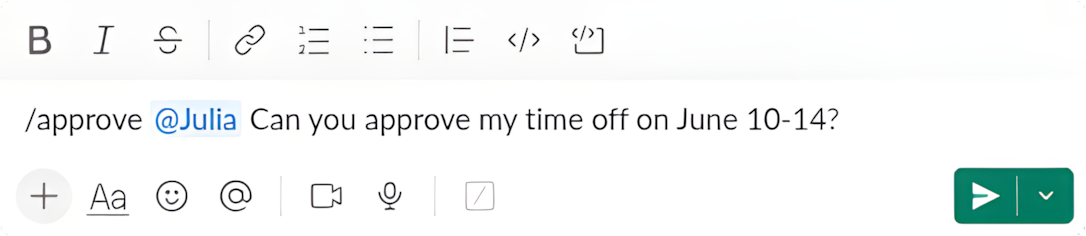
Start an approval
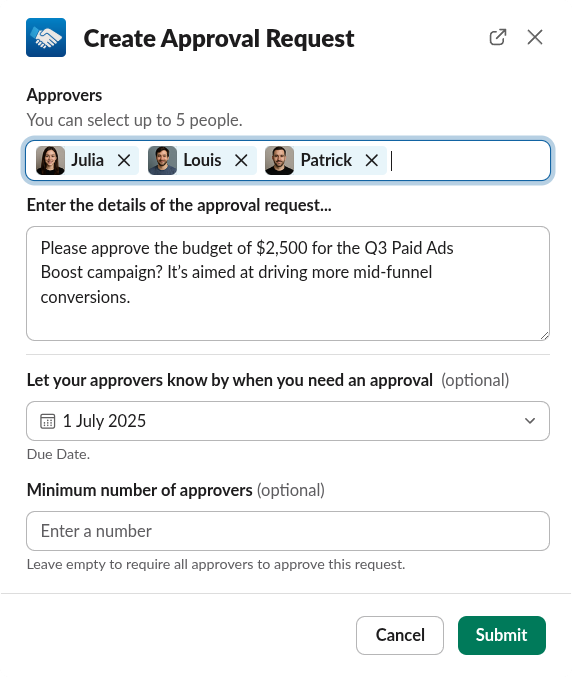
Use the /approve slash command or click "Create Approval Request" from the app home in Slack.
Pick approvers
Select one or more teammates responsible for approving your request.
Enter request details
Describe what you need approved directly in Slack.
Slack notifications
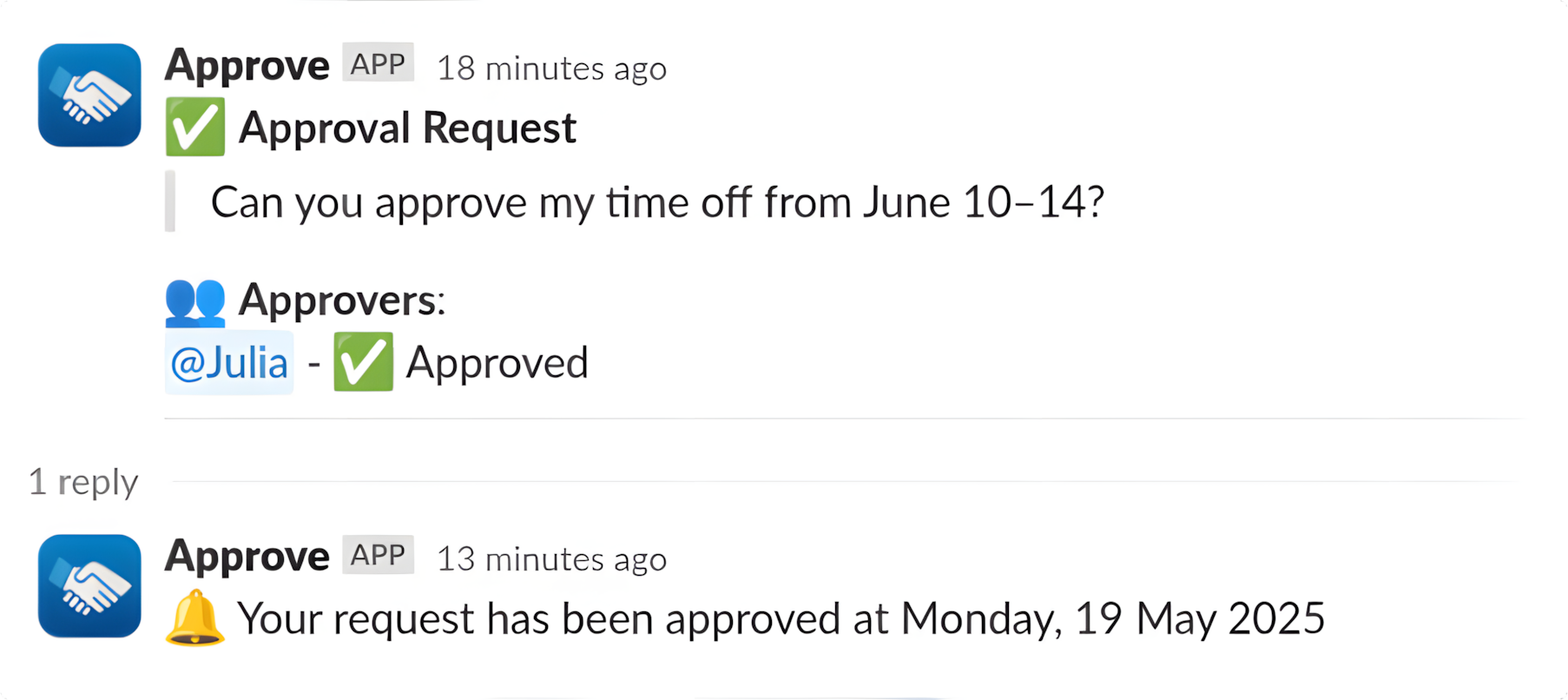
ApproveBot sends a message to each approver in Slack right away.
Track decisions in real time
You'll be notified as soon as your request is approved or rejected.
Flexible Pricing Plans
Free
Get started with essential approval workflows
100 approval requests per month
Maximum 5 approvers per request
One Slack workspace
Set Due dates
Delete requests
Set number of approvals
24-hour revoke limit
Approval history
Pro
Unlimited approvals and advanced automation
Unlimited approval requests per month
Unlimited approvers per request
Unlimited Slack workspaces
Set Due dates
Delete requests
Set number of approvals
24-hour revoke limit
Approval history
Frequently Asked Questions
How does Approve work?
Approve integrates with Slack to let you request and approve decisions instantly. No extra tools or complex setups.
Is Approve free?
Yes! We offer a free plan with essential features. Upgrade to Pro for unlimited approvals and advanced workflows.
Can I customize approval workflows?
Yes. Build multi-step approvals, choose specific approvers, and automate notifications to fit your team's process.
Does Approve store approval data?
We keep logs of approvals for accountability and compliance, but your data remains secure.
Get in Touch
Need help? Have questions? We're happy to assist!